Instagram Story video size and safe zones
By Storyvids · Updated
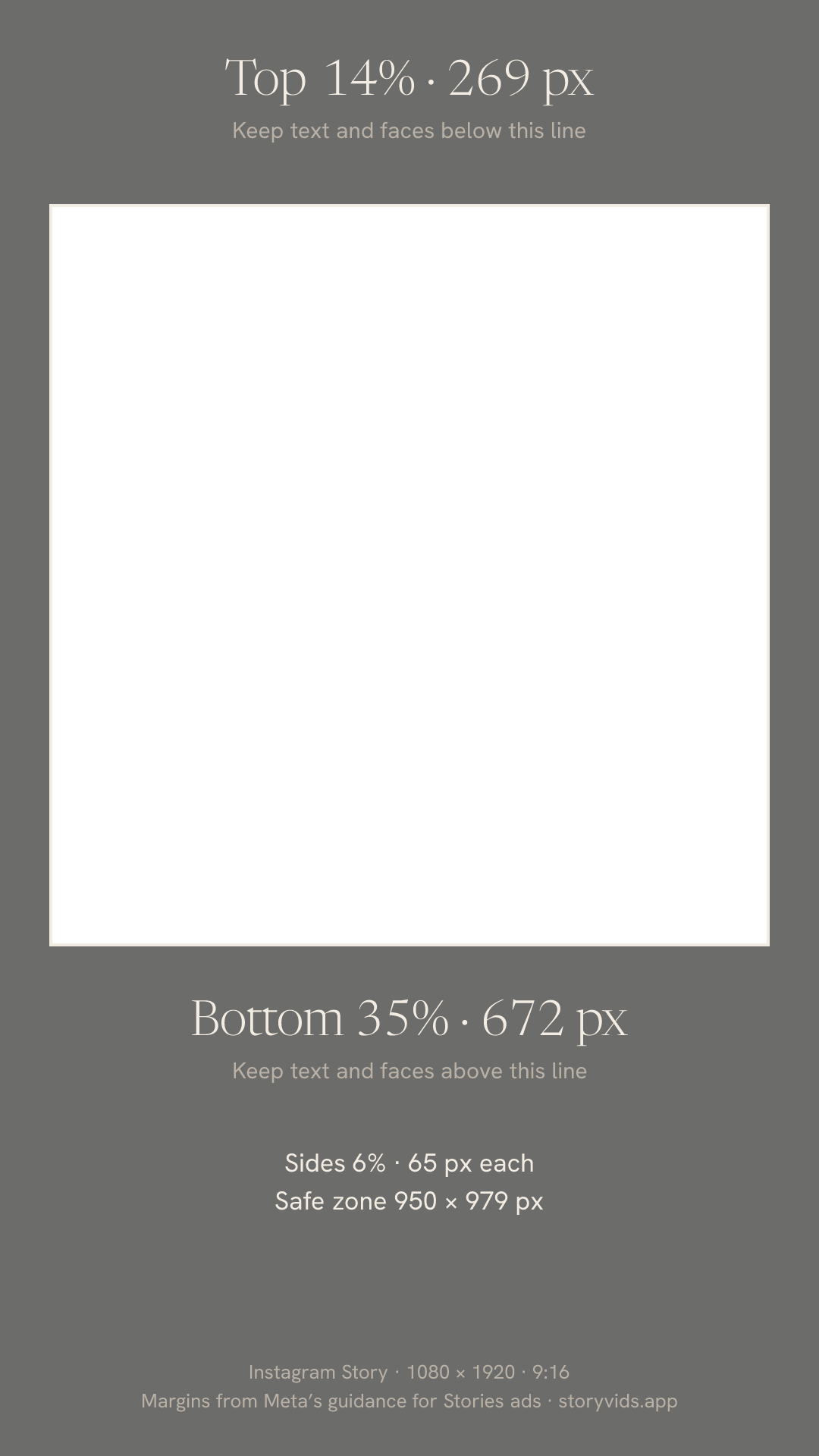
An Instagram Story video is a 9:16 vertical frame, and Meta recommends 1080 × 1920 pixels. Keep text and faces out of the top 14% and the bottom 35% of the frame, where the profile icon and buttons can cover them.
The limits here come from Instagram’s and Meta’s own pages, linked at the end. The safe-zone margins are Meta’s guidance for Stories ads. A regular story has no ad button at the bottom, so the same margins leave it room to spare.
Safe zone at 1080 × 1920: 269 px at the top, 672 px at the bottom, 65 px at each side. Download the safe-zone PNG
At a glance
- Aspect ratio
- 9:16, vertical
- Recommended size
- 1080 × 1920 pixels. Meta’s ads guide also lists 1440 × 2560. Both are 9:16
- Minimum size
- 600 × 1067 pixels, for Stories ads
- Story clip length
- Up to 60 seconds. Instagram splits a longer video into back-to-back clips
- File type
- MP4 or MOV, for Stories ads
- File size
- Up to 4 GB for a video, for Stories ads
- Codecs
- H.264 or VP8 video, AAC or Vorbis audio, for Stories ads
- Safe zone
- Keep about 14% at the top (269 px), 35% at the bottom (672 px) and 6% on each side (65 px) free of text and logos
- How long it stays up
- 24 hours, unless you add it to a Highlight
Steps
- 01
Pick a layout
Open the editor and pick a layout. Every layout is 9:16, so the video fills the story with no black bars.
- 02
Add and frame your clips
Tap a cell to add a video or a photo, then drag and zoom it. Keep faces and text inside the safe zone shown on this page.
- 03
Export at 1080p
Tap the check mark and pick 1080p, which saves 1080 × 1920, the size Meta recommends. 1440p saves 1440 × 2560 and 4K saves 2160 × 3840, for crops and edits later.
- 04
Post it to your story
In Instagram, tap + at the top right or swipe right from your feed. Tap the gallery icon at the bottom left, pick the video and tap Your story.
Where the safe zone sits at 1080 × 1920
Leave 269 pixels at the top, 672 at the bottom and 65 on each side. That leaves a safe area of 950 × 979 pixels, from 269 to 1248 pixels down. At 1440 × 2560 or 2160 × 3840, keep the same percentages.
Why the edges get cut off
Meta notes that on phones taller than 9:16, a Stories ad may be zoomed to fill the screen, which crops the edges, or shown at 9:16 with black around it. Anything close to an edge can be cut off or covered.
Layouts and the safe zone
In one on top, two below, the top clip starts under the profile icon, so frame it a little lower. In one big, three below, the three small cells sit inside the bottom 35%, so keep text and faces in the big cell and use the small ones for details. A 2 × 2 grid puts its center at 960 pixels down, inside the safe area.
Videos longer than 60 seconds
Instagram plays one story clip for up to 60 seconds and splits a longer video into back-to-back clips. A Storyvids video runs as long as its longest clip, so pick clips under 60 seconds to keep the whole layout in one story.
Posting the same video as a Reel
Instagram accepts Reels between 1.91:1 and 9:16, with at least 30 frames per second and 720 pixels. A 9:16 story video at 30 or 60 fps fits those rules, so the same file works as a Reel.
Sources
Checked
- Design requirements for Instagram Stories ads. Meta Business Help Center.
- Instagram Stories video ad specs. Meta Ads Guide.
- About text overlays and the safe zone for ads on Facebook and Instagram. Meta Business Help Center.
- How to use Instagram Stories: The complete 2026 guide. Instagram, 3 July 2026.
- Reel size & aspect ratios on Instagram. Instagram Help Center.